
7 Best AI Plan Review Tools for Code Checks (2026)

Telamont is the strongest AI plan review tool when drawings, specifications, contracts and codes need to be checked together; Helonic, Buildcheck, PlanCheckPro, InspectMind, Nomic and Stru AI each cover a narrower part of the review.

A missed requirement in a specification costs a question at bid time. The same requirement missed six months into construction can cost a claim. Plan review is where most of these problems can still be caught on paper, and AI tools now take on a large share of that work.
The category has split into several jobs. Some tools check drawings against each other, some check plans against building codes, and some catch the errors, omissions and contradictions that sit between drawings, specifications and contracts. Telamont does the last of these, so your team settles problems on paper, not on site.
This guide compares seven AI plan review tools and what each one checks, so you can match the tool to the documents your team reviews.
Quick guide: 7 best AI plan review tools
- Telamont: the strongest option for catching errors, omissions and contradictions across drawings, specifications, contracts and codes read together
- Helonic: multi-discipline review of 2D PDF drawing sets
- Buildcheck: design-phase QA of drawings and specifications before permit or pricing
- PlanCheckPro: same-day code compliance reports on PDF drawings
- InspectMind AI: code, accessibility and fire and life safety checks on drawings and specs
- Nomic: AI agents for architecture and engineering firms, grounded in their own project archive
- Stru AI: structural design automation in SAP2000, ETABS and RISA 3D
How we chose the best AI plan review tools
A tool that finds a clash between two drawing sheets solves a different problem from one that flags a notice period too short to meet. We compared the seven tools on the questions a preconstruction or project team asks before adopting one.
- Document coverage: does the tool read drawings only, or drawings, specifications, contracts and codes together? Each document type it leaves out is a place where conflicts go unseen.
- Traceable findings: does every finding open on the sheet, section or page it comes from? Your team needs the source in hand before raising an issue.
- Severity and category: do findings arrive sorted by priority and type (contractual, technical, compliance) so the team handles what matters first?
- Workflow after the finding: can the team assign the issue, draft an RFI or a notice, and track it to closure?
- Construction specificity: is the tool built for construction documents, or a general document reader?
The 7 best AI plan review tools
1. Telamont: best overall AI plan review tool for construction
A mechanical schedule calls for a rooftop unit on a curb that the structural drawings never frame. The specification requires a five-year roofing warranty, and the roofing subcontract offers two. Each document is fine on its own. The problem only shows up when they are read together.
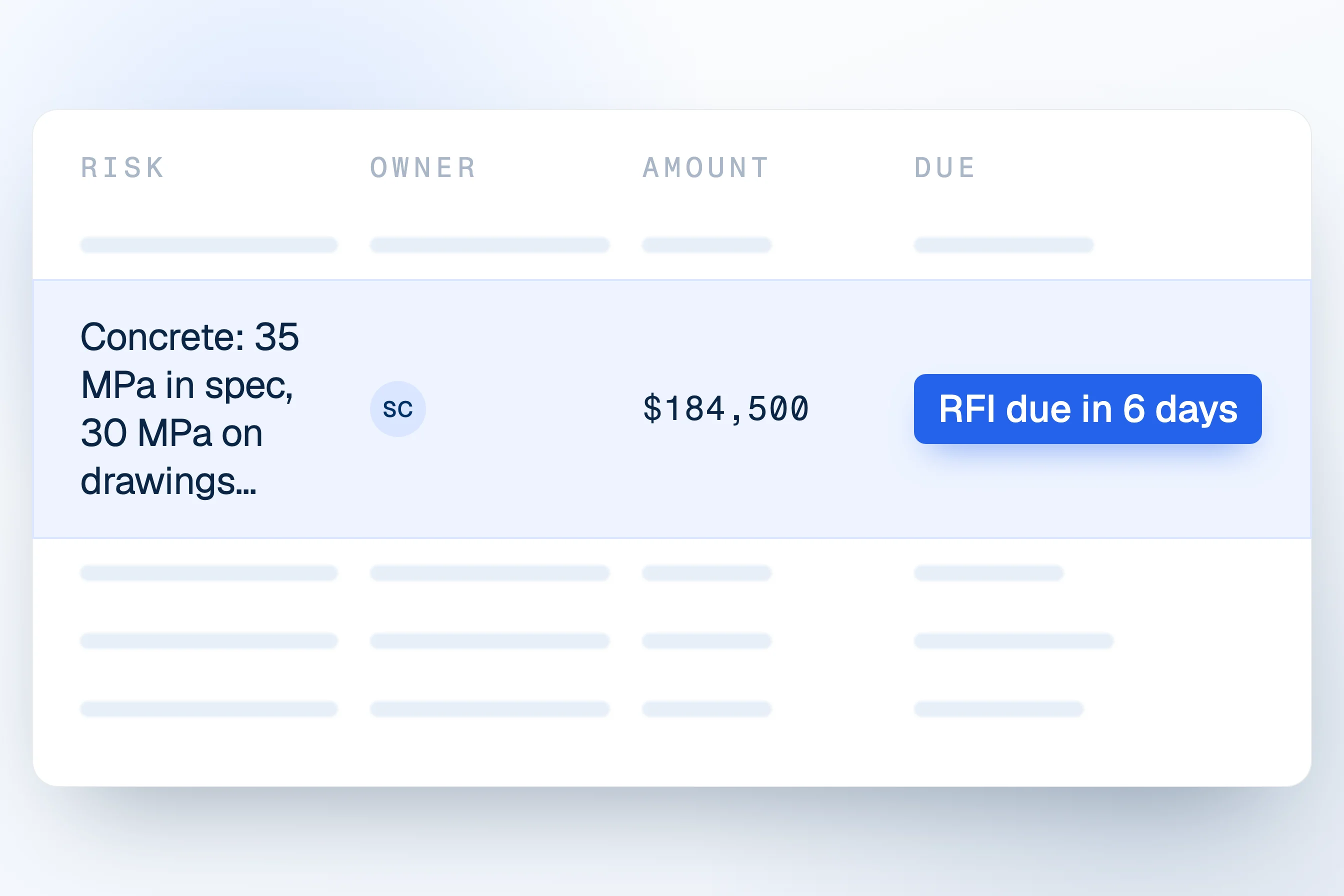
Telamont runs risk detection across drawings, specifications, prime contracts, subcontracts and the codes added to the project. Technical playbooks catch spec-versus-drawing conflicts, interdisciplinary conflicts, elevation mismatches, items specified but not shown and constructability issues. Contract playbooks catch payment, scope, risk allocation, schedule, dispute and flow-down risks, including notice periods too short to comply with. Detection also checks the documents against the codes and standards the project follows.
Each finding arrives in triage with a priority, a category and the trades it affects, and opens on the page it comes from. From there the team moves it to the operations board, where it is assigned and closed, or turns it into an RFI or a notice drafted from the project documents. Telamont works as a layer above the project management tool your team already uses.
Key features:
- Cross-document risk detection: catches errors, omissions and contradictions across drawings, specifications, contracts and codes in one run.
- Playbooks: 29 contract checks and 12 technical checks, so every project gets the same standard of review.
- RFI drafting: describe what the documents leave unclear, and Telamont drafts the question and checks whether the project documents already hold the answer.
- Notices: drafts the notice from the clause that requires it and scores it out of 100 before you send it.
- Boards: one-page summaries of scope, key dates, notice requirements, payment terms, codes and standards, with 31 card types.
- Agent: answers questions about the project documents, typed or spoken, and compares two versions of a document.
Pros:
- Reads drawings, specifications, contracts and codes as one set, which catches the conflicts that single-document tools miss
- Findings arrive sorted by priority and category, with the source page one click away
- Detection, triage, RFIs, notices and tracking in one place, so nothing is retyped between steps
Cons:
- Focused on document risk: geometric clash detection in 3D BIM models stays in your coordination tool
- Teams get the most out of it once playbooks and boards are set up for the way they review projects
- A full detection run takes from minutes to hours depending on the page count
2. Helonic: multi-discipline review of 2D drawing sets
Helonic analyzes uploaded PDF drawing sets page by page across 10 issue categories, including coordination conflicts, code compliance, missing information, MEP clashes, fire safety, accessibility and dimension discrepancies. Each finding comes with a description, a recommended action, its page locations and a severity rating.
Helonic connects to Procore and Autodesk Construction Cloud: teams pull drawings from those projects and push findings back as RFIs. The company reports more than one million pages reviewed.
Key features:
- Multi-category review: 10 issue categories checked in one pass
- PDF-native: works from 2D drawing sets
- RFI integration: findings pushed back to Procore or Autodesk Construction Cloud as RFIs
Pros:
- Broad drawing coverage across disciplines in a single run
- Direct link to Procore and Autodesk Construction Cloud
- Severity rating and recommended action on every finding
Cons:
- Reviews drawing sets; specifications and contracts are outside its scope
- No notice drafting or risk tracking to closure
3. Buildcheck: design-phase QA before permit or pricing
Buildcheck reviews design documents before permit, pricing or construction to catch errors, omissions and inconsistencies. It applies more than 500 review criteria across floor plans, elevations, details, schedules and specifications, and marks results directly on the drawings. The company reports more than 150,000 drawings reviewed, representing over $3 billion in project value.
Findings carry severity levels and are grouped when similar. Teams assign tasks, invite reviewers and back-check new submissions against earlier comments.
Key features:
- 500+ review criteria: drawings and specifications checked against a structured QA list
- On-drawing markups: findings pinned to their location on the sheet
- Back-checks: new submissions reviewed against earlier comments
Pros:
- Structured QA across disciplines, including specifications
- Markups give spatial context to every finding
- Useful for design teams before permit submission
Cons:
- Contracts, subcontracts and notice obligations are outside its scope
- Built for the design review phase rather than for the GC's bid and construction phases
4. PlanCheckPro: same-day code compliance reports
PlanCheckPro reviews PDF construction drawings against NEC, NFPA, ADA and local building codes, in all 50 US states. It returns a report the same day with each flagged issue, its code citation and a recommended fix. Architectural, structural, mechanical, electrical and plumbing sheets are reviewed in one analysis.
The company says more than 650 firms use it, from architects and MEP engineers to developers, contractors and building departments. It focuses on code compliance before permit submission.
Key features:
- Same-day reports: code issues with citations and recommended fixes
- 50-state coverage: national codes plus local building codes
- Single analysis: all major disciplines reviewed together
Pros:
- Fast turnaround ahead of permit submission
- Code citation on every flagged issue
- Used across design, owner and permitting teams
Cons:
- Code compliance only: coordination between specifications, drawings and contracts is outside its scope
- Built around US codes
5. InspectMind AI: code, accessibility and life safety checks
InspectMind reads drawings and specifications together and checks them against each other and against building codes. It offers dedicated checkers for building codes, ADA accessibility and fire and life safety, plus constructability and shop drawing checkers. Each finding cites the sheet and the code section.
Firms can upload local amendments to their company library so every check applies them. The first 10 drawing pages are free, and its users include engineering, architecture, construction and development firms, with a focus on multi-site retail operators and homebuilders.
Key features:
- Code and accessibility checkers: building code, ADA and fire and life safety
- Local amendments: uploaded once and applied to every review
- Free start: up to 10 drawing pages at no cost
Pros:
- Reads drawings and specifications together
- Sheet and code section cited on every finding
- Easy to try on a small set
Cons:
- Contracts and notice obligations are outside its scope
- No risk tracking or notice drafting after the finding
6. Nomic: AI agents for architecture and engineering firms
Nomic organizes a firm's drawings, specifications, RFIs, submittals and project records so AI agents can search and reason over them. Its workflows include code compliance checks against more than 380 codes and standards, submittal review against drawings and specs, drawing QA/QC against firm standards, MEP coordination across a full set and detail search across past projects.
It connects to SharePoint, Box, Egnyte and Autodesk, and also offers an API for firms that build their own agents.
Key features:
- Agent workflows: code compliance, submittal review, QA/QC and coordination
- Firm knowledge: past drawings and details searchable for new work
- Agent API: building blocks for in-house AI teams
Pros:
- Draws on a firm's full archive, not only the current project
- Wide range of design-side workflows
- Connects to common document systems
Cons:
- Built mainly for architecture and engineering firms
- Contract review, notices and risk tracking are outside its scope
7. Stru AI: structural design automation
Stru AI is an agent for structural engineers that works inside SAP2000, ETABS and RISA 3D. It reads and builds models, runs analysis and produces editable Mathcad and Excel calculation sheets with visible equations and code references. It checks designs against ASCE, ACI, AISC and other governing codes.
It also indexes past models, CAD details and reports so earlier geometry can be reused, and it logs the reasoning behind design choices.
Key features:
- Model automation: works directly in SAP2000, ETABS and RISA 3D
- Editable calculations: Mathcad and Excel sheets with code references
- Archive reuse: past models and details indexed for new projects
Pros:
- Every calculation stays editable and auditable
- Fits into tools structural teams already use
- Decision log for each design choice
Cons:
- Structural engineering only
- Plan review across disciplines, specifications and contracts is outside its scope
Comparison table: the best AI plan review tools
How the seven tools compare on what they read and what happens after a finding:
| Tool | Drawings and specs together | Contracts and subcontracts | Notice drafting from findings |
|---|---|---|---|
| Telamont | ✓ | ✓ | ✓ |
| Helonic | ✗ | ✗ | ✗ |
| Buildcheck | ✓ | ✗ | ✗ |
| PlanCheckPro | ✗ | ✗ | ✗ |
| InspectMind AI | ✓ | ✗ | ✗ |
| Nomic | ✓ | ✗ | ✗ |
| Stru AI | ✗ | ✗ | ✗ |
Why do design errors matter so much in plan review?
Most rework starts in the documents. In a Construction Industry Institute study of quality deviations on industrial projects, the average cost of rework exceeded 12 percent, and design deviations (changes, errors and omissions) accounted for roughly 80 percent of the added cost. Field deviations made up the rest.
A conflict caught in plan review costs an RFI. The same conflict caught in the field can cost a claim.
Code checks catch one kind of error. The conflicts that reach the field more often sit between documents: a specification that no longer matches a revised drawing, a subcontract that leaves out a requirement of the prime contract, an order of precedence clause that decides which document wins. A review that reads all of them together finds those conflicts while they are still cheap to settle.
What should GCs look for in an AI plan review tool?
Start with the documents you have. A general contractor's bid package holds drawings, specifications, the prime contract and the subcontracts. A tool that reads only the drawings checks a fraction of what the team signs. Our guide to AI tools for document set comparison covers this criterion in more depth.
Then look at what happens after the finding. Flagging an issue is the first step. Assigning it, sending the RFI and giving notice on time are the steps that protect the margin, so the tool should carry the finding into that work with its source attached.
Finally, check how revisions reach the tool. When a new drawing revision or an addendum arrives, it should be checked against the rest of the set without a manual re-upload, wherever your team keeps its documents, whether SharePoint, Autodesk, Dropbox or somewhere else.
Why Telamont is the best AI plan review tool for construction
Most tools on this list check one part of the job well: drawings against drawings, plans against codes, or structural designs against standards. Telamont reads drawings, specifications, contracts and codes together and catches the errors, omissions and contradictions between them, the ones that turn into disputes.
Each finding arrives with its priority, its category and its source page. Your team decides what to do with it and turns the decision into an RFI, a notice or a tracked risk, with nothing retyped. For contractors running several projects, every bid package and every revision gets the same standard of review.
FAQs about AI plan review tools
What is an AI plan review tool?
An AI plan review tool reads construction documents and flags errors, omissions, conflicts and code issues. Some focus on drawings, some on code compliance, and some, like Telamont, read drawings, specifications, contracts and codes together.
Can AI plan review tools replace manual review?
They speed it up and widen it, and the judgment stays with your team. Every finding needs a person to read the source and decide what to do. Telamont shows each finding with its page so that check takes seconds.
Which AI plan review tool is right for general contractors?
General contractors sign contracts and subcontracts as well as drawings and specifications, so they need a tool that reads the whole set. Telamont catches conflicts across all of them and tracks each risk to closure. Drawing-only and code-only tools fit design and permitting teams better.
Do AI plan review tools check building codes?
Many do. PlanCheckPro and InspectMind AI focus on code compliance. Telamont checks documents against the codes and standards added to the project as part of the same run that catches contractual and technical risks.
How do AI plan review tools handle document revisions?
It varies. Telamont syncs folders from the systems where your documents live, so a new revision is checked against the rest of the set. Other tools pull drawings from a connected platform or rely on a new upload for each review.
Sources
See Telamont on a project like yours
In 30 minutes, we walk you through a project similar to yours: the risks Telamont finds, the clause behind each one, and the notice it drafts for your team.