


RFIs
Keep the job moving with clear, complete RFIs.
↳ Construction RFI software for contractors. Telamont writes your RFIs from your drawings and specs, cites every page, and checks whether the answer already exists in the project before it goes out.

Why Telamont
Telamont does the research. Your RFIs go out complete.
Without Telamont, every RFI means flipping through the drawings and specs, checking revisions, then retyping it all into an email. Telamont does that search for you: every RFI goes out complete, one less back-and-forth with the architect or engineer.
Step 1 · Start
Start an RFI with two questions
Click New RFI. Telamont asks which project it is for and who should answer it, then prepares the draft.
- Start from a discrepancy spotted on site or from a risk Telamont found
- The right recipient from the start
- No template to fill in
Step 2 · Draft
Telamont writes the question and cites its sources
Describe what the documents leave unclear. Telamont writes the question, quotes the drawing and the spec section involved, and cites each one to its page.
- Less time flipping through the drawing set for every question
- An RFI the architect understands without calling you back
- Every reference one click away from its source
Step 3 · Check
Check before you send
Telamont searches the project to see whether the answer already exists and shows you what to look at. One instruction is enough to refine the wording.
- Avoid asking a question that is already answered
- Spot what contradicts the RFI, with the page to back it
- Refine a section without rewriting the rest
Step 4 · Send and track
Send the RFI and track the answer
Copy the RFI into your email, with its citations. Each RFI keeps its status, draft, sent or answered, and the answer stays attached to its question.
- Send from your usual mailbox
- See at a glance what is waiting for an answer
- Find any answer with its RFI, even after closeout

Above your tools
An intelligence layer above every project
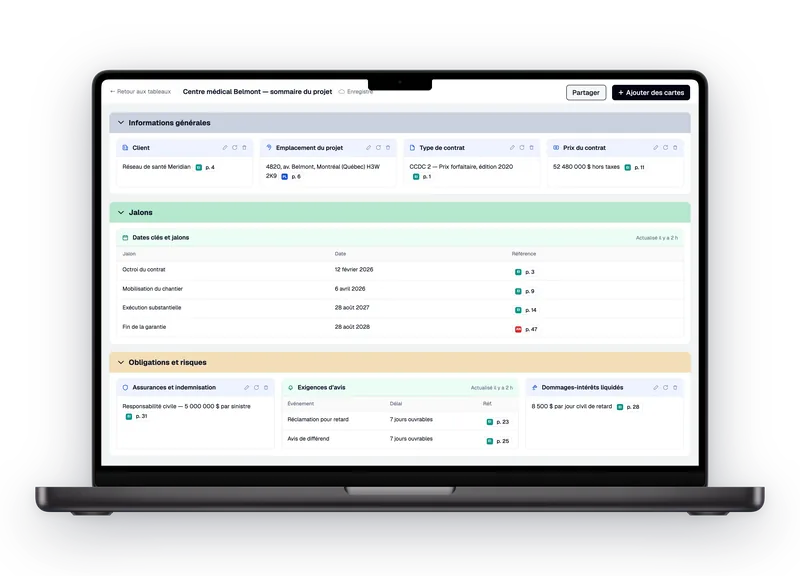
Telamont does not replace your project management software, it adds to it. Telamont keeps an eye on the drawings, specs and revisions of every project, flags what needs your attention and prepares what comes next, like an RFI. Your team keeps its tools and works with peace of mind.
- Spots discrepancies between drawings and specs
- Flags what needs your attention, project by project
- Prepares the RFI or the notice when it is time to act
FAQ
Frequently asked questions about RFIs

What is an RFI in construction?
An RFI (request for information) is a written question a contractor sends to the architect or engineer to clarify a drawing, a specification or a conflict between them. For example, the drawing shows 45-minute walls while the spec calls for a 1-hour separation. The answer becomes part of the project record and can lead to a revised drawing, a bulletin or a change order. The more precisely the question cites the sheet and the section involved, the less likely it comes back with a request for clarification.
Who writes and sends RFIs?
Usually the general contractor's team: the project manager, the project coordinator or the superintendent. Subcontractors send their questions to the general contractor, who reviews them and forwards them to the design team. On a project of any size that means hundreds of RFIs, and each one takes the same search through drawings, specs and revisions. Telamont does that search and helps the team draft, check and send every RFI.
How does Telamont help draft RFIs?
You describe the discrepancy in a few words. Telamont writes the question, quotes the drawing and the spec section involved and cites each one to its page. You can start from a new RFI or from a risk Telamont already found. If the wording needs to change, a one-line instruction is enough and the citations stay in place. You review, adjust if needed and send a complete RFI.
Can Telamont tell if the answer is already in the documents?
Yes. Before an RFI goes out, Telamont searches every drawing, spec, revision, bulletin and answered RFI on the project. If the answer is already there, you get the cited passage instead of waiting for an answer that already exists. Telamont also flags anything that contradicts the RFI, with the page to back it, so you can fix the question before it goes out.
Which documents does Telamont use?
Your project documents: drawings, specs, revisions, bulletins and RFIs already answered. Every statement points to its source, down to the page, so you can check it yourself. When a new revision is added to the project, the next RFIs rely on the current version. You can also download an RFI's citations to attach them to your email.
How is an RFI sent?
Copy the RFI into your email from Telamont, with its citations. You send it from your usual mailbox, to the architect or engineer who needs to answer. In Telamont, each RFI keeps its status, draft, sent or answered, so the team sees at a glance what is still waiting for an answer.
Where are RFI answers kept?
Each answer is filed with its RFI, next to the rest of the project documents. The question, the answer and the cited documents stay together. If the answer changes the work, everything that supports the change order or the claim is in one place, even after the project closes.
Does Telamont replace our project management software?
No, Telamont adds to your tools. It works as an intelligence layer above your projects: it keeps an eye on your documents, flags what needs your attention and helps you act, for example by drafting an RFI. Your team keeps the tools it knows and works with peace of mind.
Are our RFIs and documents used to train AI?
No. Your drawings, specs and RFIs are never used to train AI models. The model providers we work with keep none of your data: what is sent to draft or check an RFI is not stored on their side. Your documents remain your project's documents.
The product
Explore the other features.








Contact

Product
Solutions