

Notice drafting
Send complete notices, within the contract deadline.
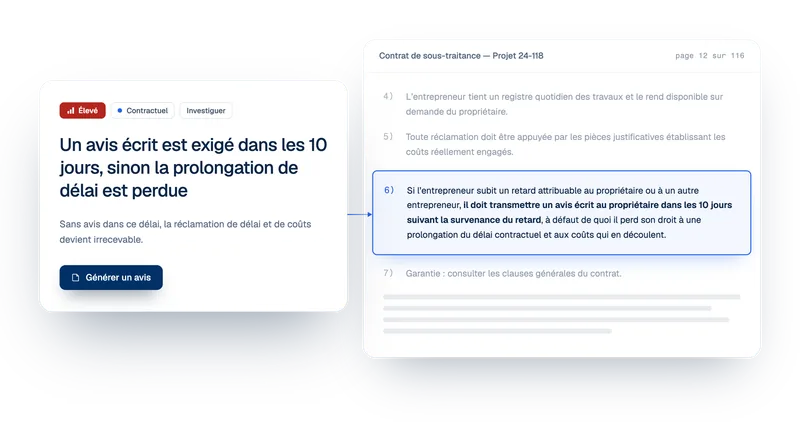
↳ A change order given verbally, a delay that is not yours, access that never comes. Telamont drafts the notice from the project documents, cites the article that requires it, and tells you what is missing before you send.

Inside Telamont
One notice, its score and its fixes on the same screen.
Step 1 · Start
Start a notice from a risk or from scratch
Start from a risk Telamont found, or click New notice. Telamont asks for the project and the contract involved, then prepares the draft.
- The contract and the article carried over automatically
- Nothing to re-explain
- The right contract from the start
Step 2 · Draft
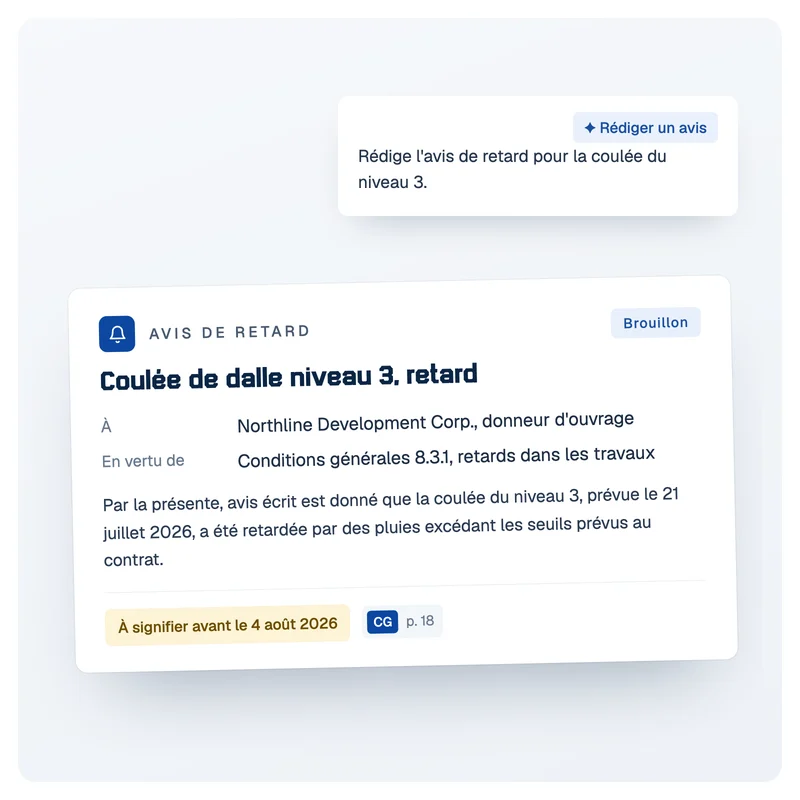
Telamont writes the notice and cites the clause that requires it
Telamont writes the notice from the project documents and cites the contract clause and the event that triggers it.
- Send the notice while the deadline is still running
- Facts and dates taken from the project documents
- Every reference cited to its source
Step 3 · Check
Have the notice scored before you send it
Telamont scores the notice out of 100 and tells you what to fix first: impacts, contract citation, facts, demands, tone. Fix it in one click or give an instruction.
- Catch what is missing before the other party does
- A notice that is harder to dispute
- The same quality bar for the whole team
Step 4 · Send and track
Send the notice and keep a record
Copy the notice into your email, with its citations. Each notice keeps its status, draft or sent, and you choose whether it stays private or is shared with the team.
- Send from your usual mailbox
- The whole team sees what was shared and sent
- A clear record if the notice leads to a claim
Results
Notices sent on time, and harder to dispute
Telamont takes care of the research and the first draft. Your team reviews, adjusts and sends, with every notice backed by the contract.

Deadlines met
The clause that requires the notice is cited from the start, so the deadline to meet is clear.

Solid notices
Facts, contract and impacts are backed up before the notice goes out, not after it is disputed.

One standard for the team
Every project manager sends notices of the same quality, without starting from a blank page.

A record ready for a claim
Every notice is dated and filed, so if a claim comes, the history is already built.
FAQ
Frequently asked questions about construction notices

What is a notice in construction?
A notice is a written message a contractor sends to the owner or the owner's representative to report an event that affects the contract: a change, a delay, missing access, an unforeseen condition. Most contracts require it within a set deadline, or the right to extra time or compensation can be put at risk. A complete notice names the contract clause, states the facts with their dates, documents the impacts and says what you are asking for.
When should a notice be sent?
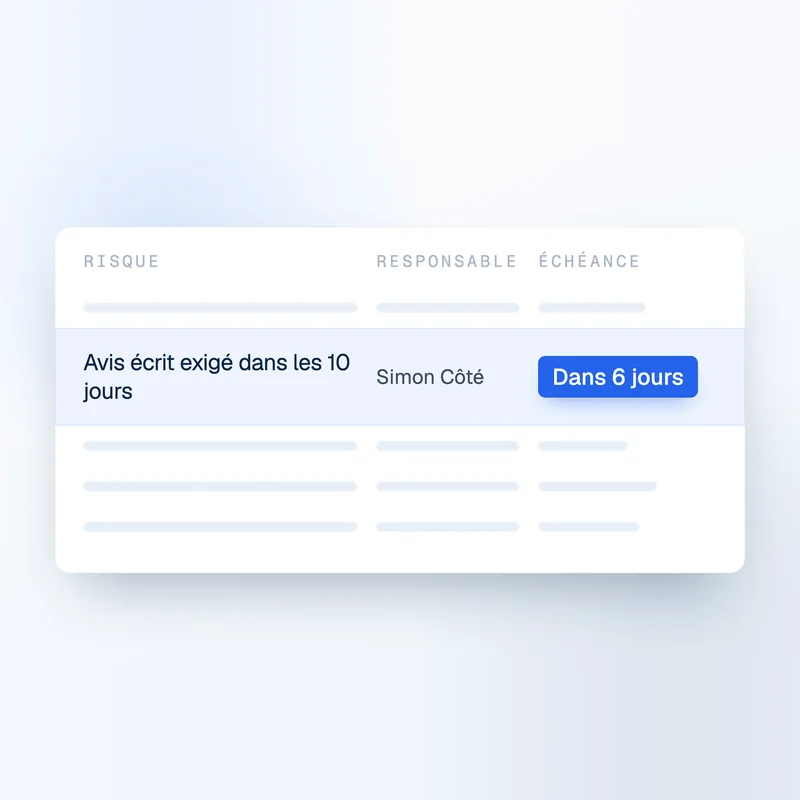
As soon as the event is known, and always within the deadline set by the contract. That deadline varies from one contract to the next. Some contracts ask for a first notice quickly, then the details of cost and time later. Telamont cites the contract clause that requires the notice, so the deadline to meet is clear from the start.
How does Telamont draft a notice?
You start from the risk at hand, or from scratch with New notice. Telamont carries over the project, the contract, the clause and the dates, then drafts the notice from the project documents. Every statement cites its source, such as the contract clause or the document that establishes the event. You review, adjust and send.
What is the Notice Score?
Before you send, Telamont scores the notice out of 100 and lists what to fix first, such as the impacts or the contract citation. Facts, demands, tone and verification are checked too. Each item to fix has its own Fix it button, or you give an instruction in plain words, and you can check again after each fix.
Does Telamont replace legal advice?
No. Telamont helps your team write a complete, well-supported notice on time. For a dispute or a major claim, your legal counsel keeps the final say. They start from a notice that is already cited, scored and filed with its date, rather than an email to piece back together.
Do our notices stay confidential?
Yes. Each notice stays private until you share it with the project team. Your contracts and notices are never used to train AI models, and the model providers we work with keep none of your data.
The product
Explore the other features.


Contact

Product
Solutions